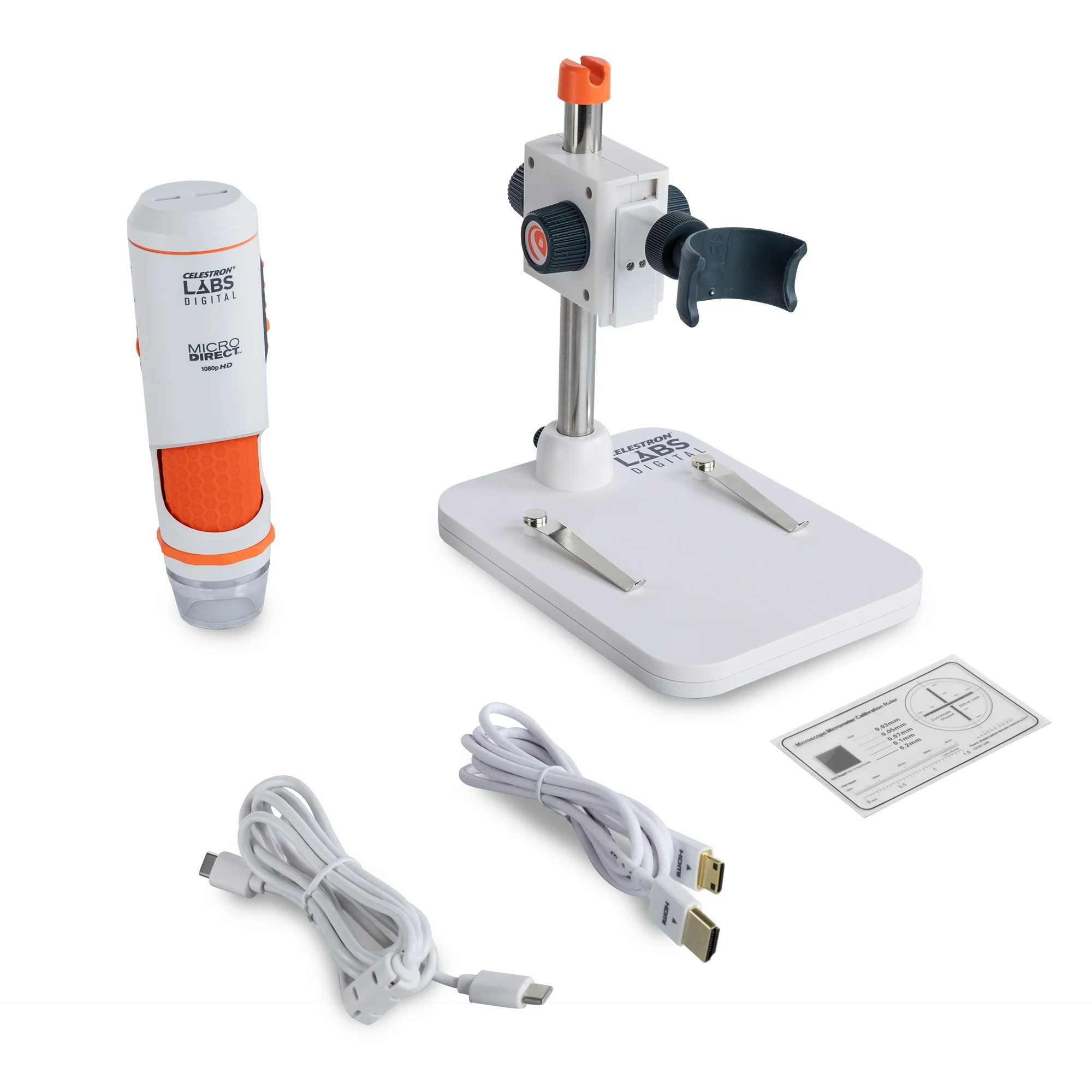
Celestron Labs Digital MicroDirect Microscope
The Celestron Labs Digital MicroDirect Handheld Microscope is your gateway to exploring the microscopic world in vivid, real-time HD—with no computer required. Offering an impressive magnification range from 10x to 200x and true 1080p HDMI output, this advanced microscope is perfect for examining three-dimensional objects in stunning detail. It’s the ideal tool for inspecting circuit boards and textiles, studying insects and plant structures, documenting materials for research or quality control, and so much more.
Setup is fast and intuitive. You can place the microscope on the included stand or use it in handheld mode. Then choose how you want to connect:
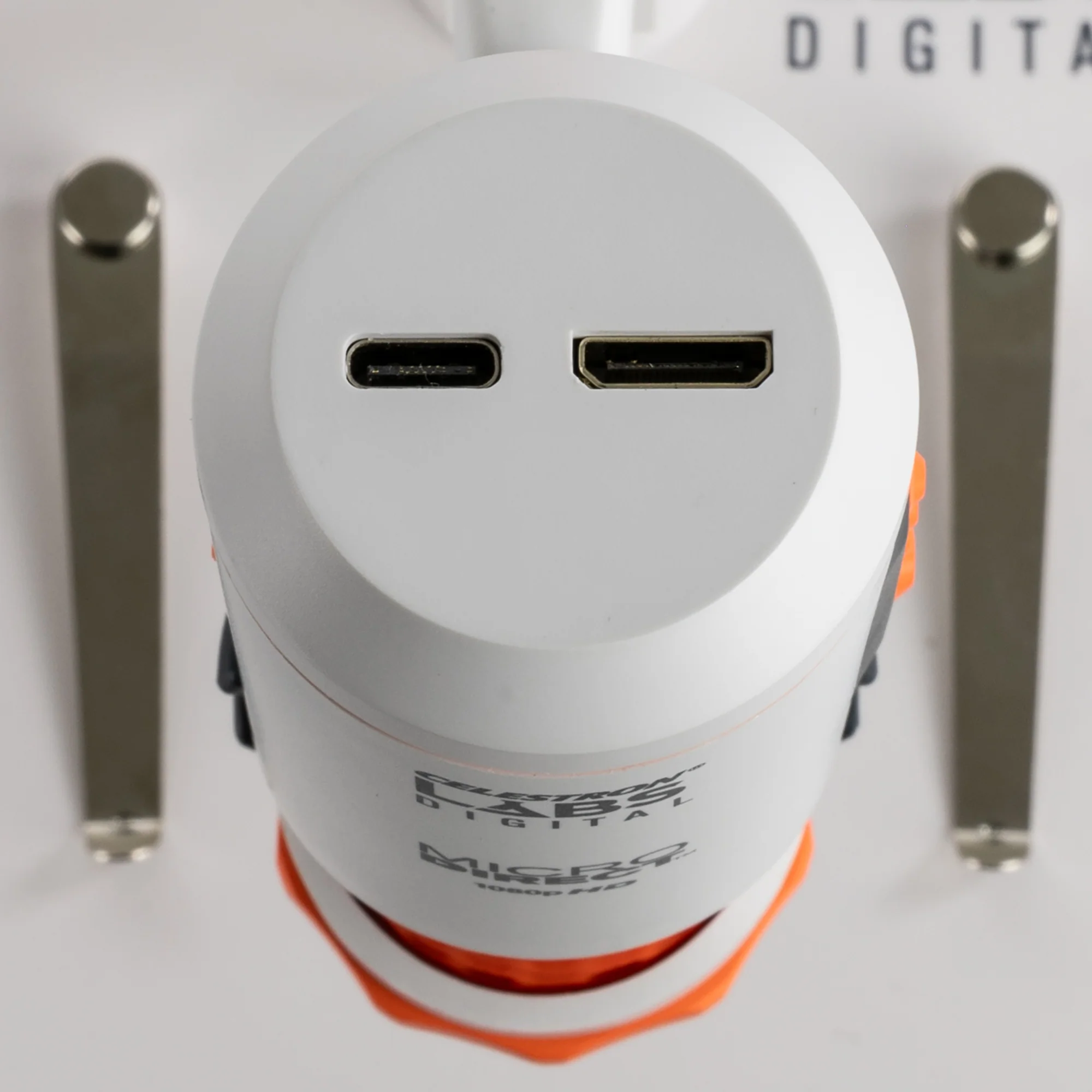
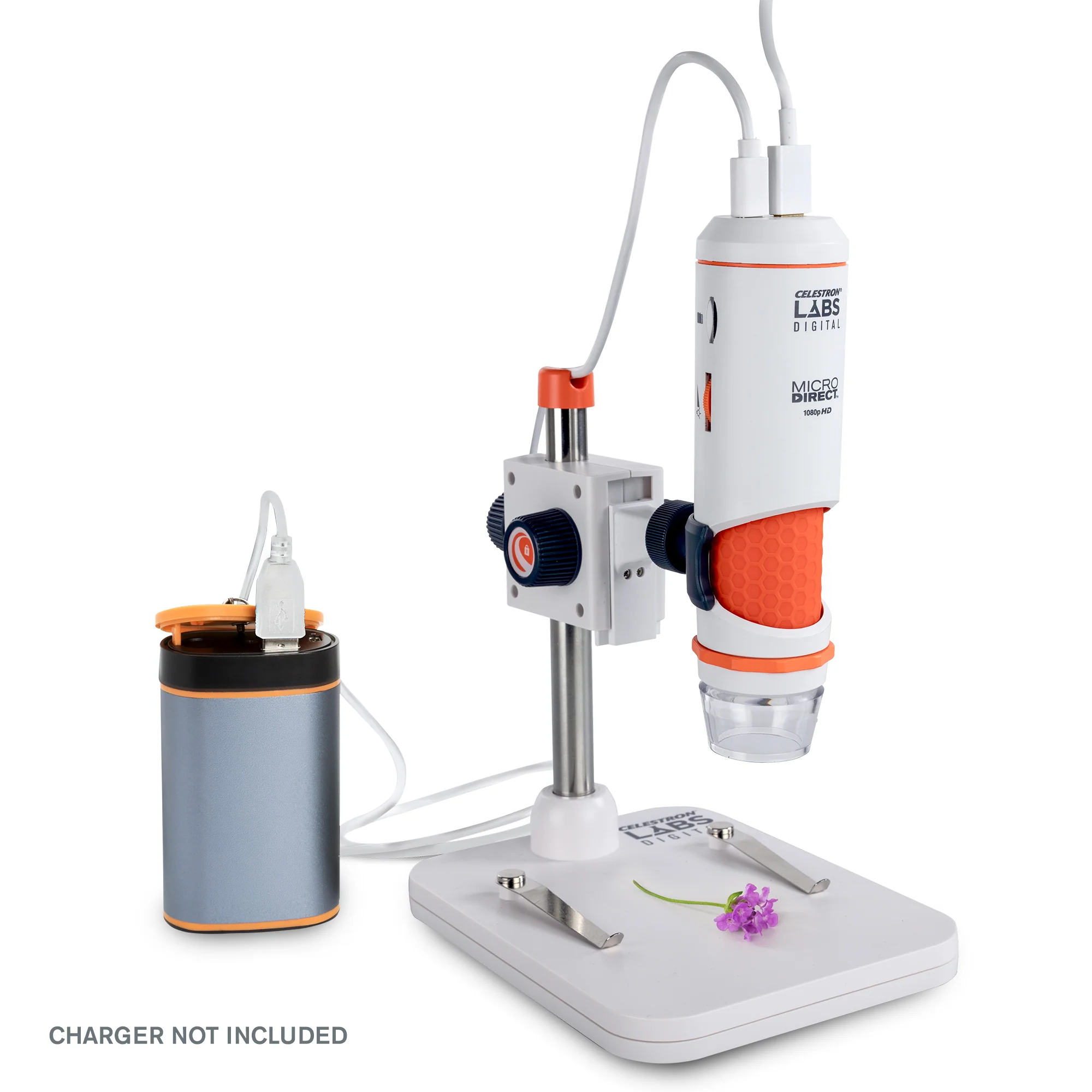
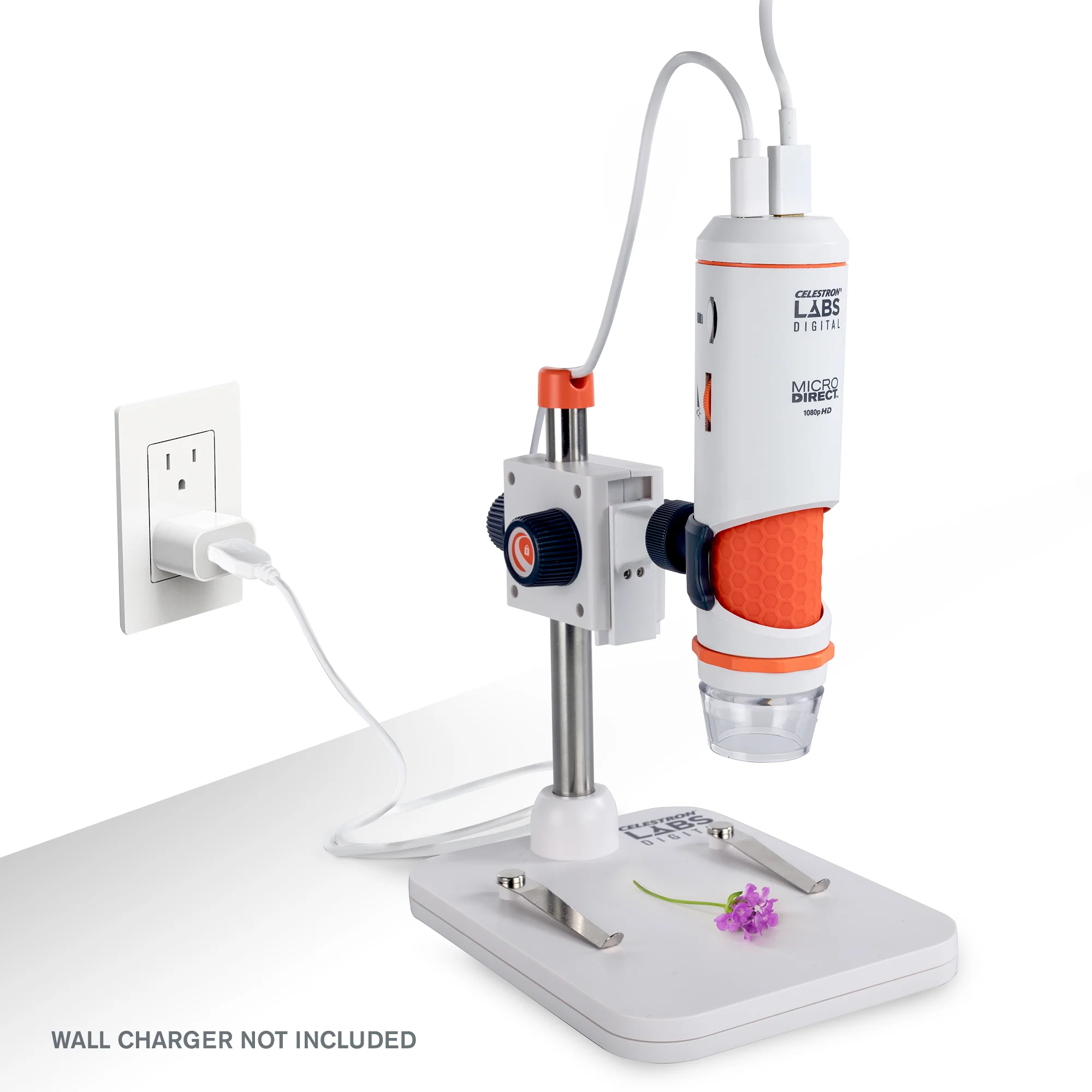
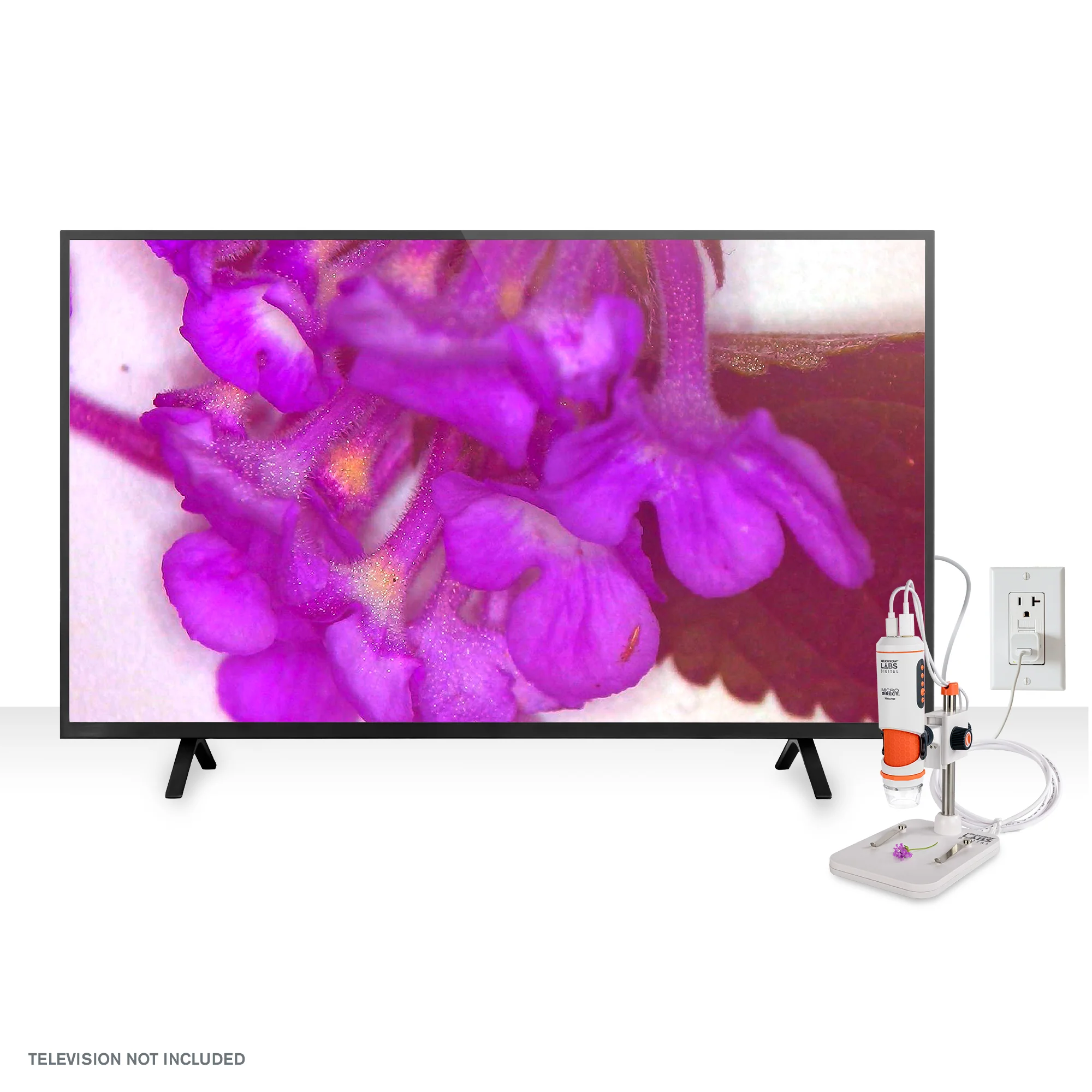
- HDMI Mode: Plug in the included HDMI cable and power the microscope using the USB-C cable (and wall adapter, if needed). This setup is perfect for classrooms, labs, or group settings where you want to stream live, full-HD video directly to a TV or projector without using a PC.
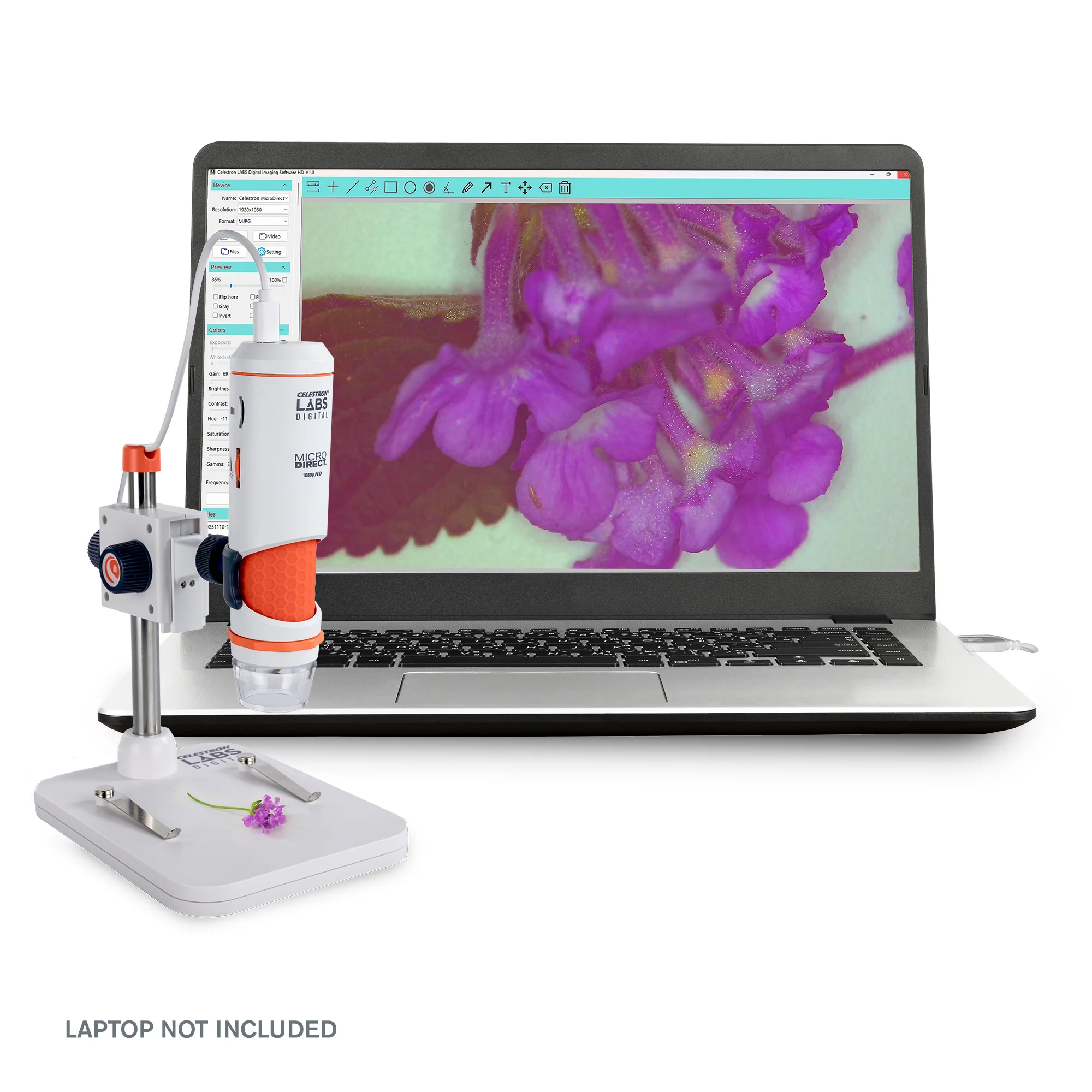
- USB-C Mode: Connect the microscope to your Windows desktop or laptop using the included USB-C cable. In USB-C mode, you can use the free Celestron Labs Digital Imaging HD Software to capture images and 720p video, add annotations, and take precise measurements using the included calibration ruler. You can also transfer any images saved to the onboard MicroSD card directly to your computer.
Achieving your desired magnification is simple: move the microscope closer or farther from your subject (or adjust its position on the stand) until you reach the perfect level of detail. This coarse focusing method sets your magnification. Then, use the integrated fine focus wheel to bring your subject into razor-sharp focus.
The professional 5-element IR-cut glass lens and 3.4MP sensor deliver crisp, color-accurate images and reveal the fine details that matter most for analysis. Adjust illumination with the built-in LED ring light and brightness wheel to ensure perfect lighting. For reflective or wet surfaces, rotate the polarizer adjustment wheel to minimize glare and reveal hidden details.
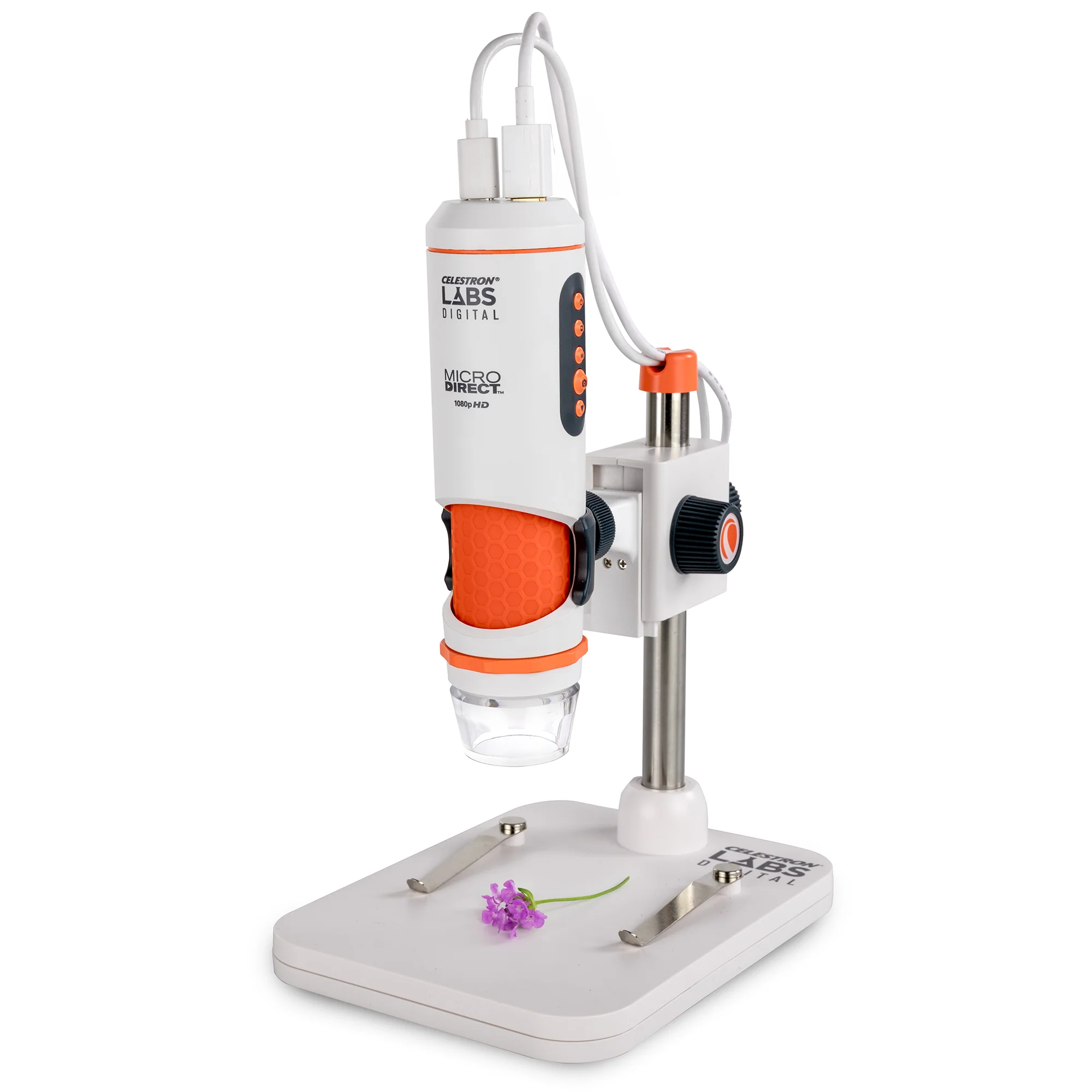
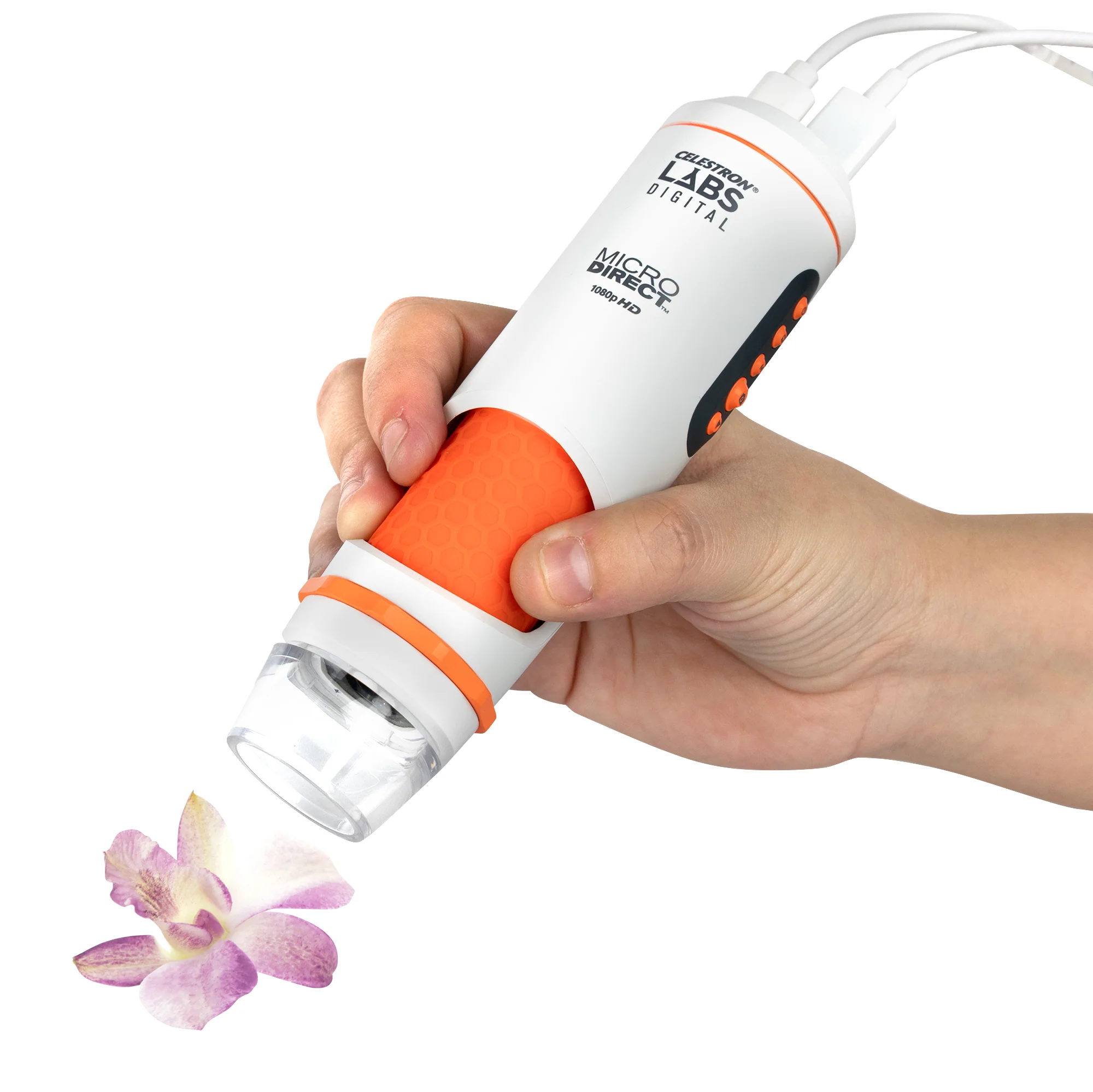
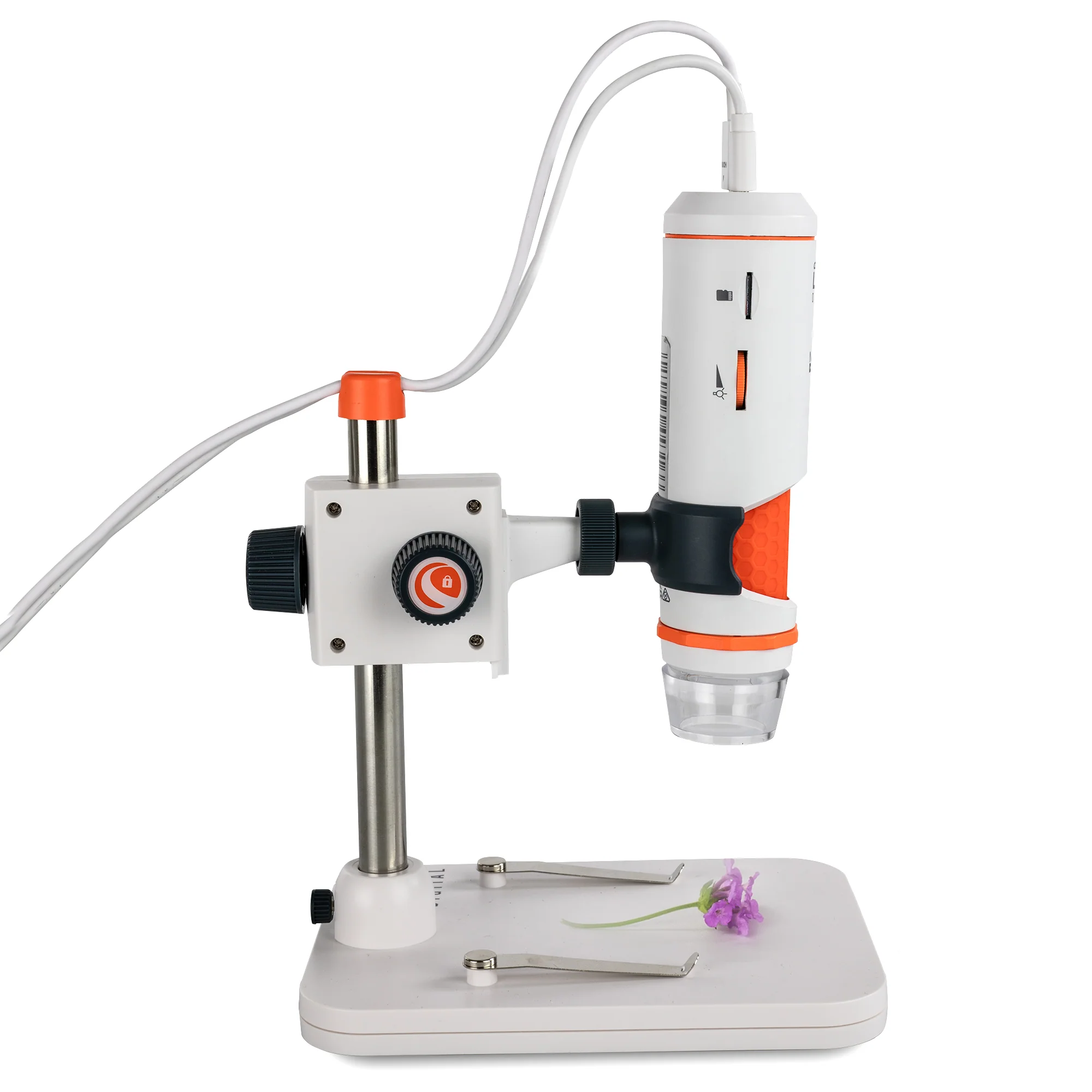
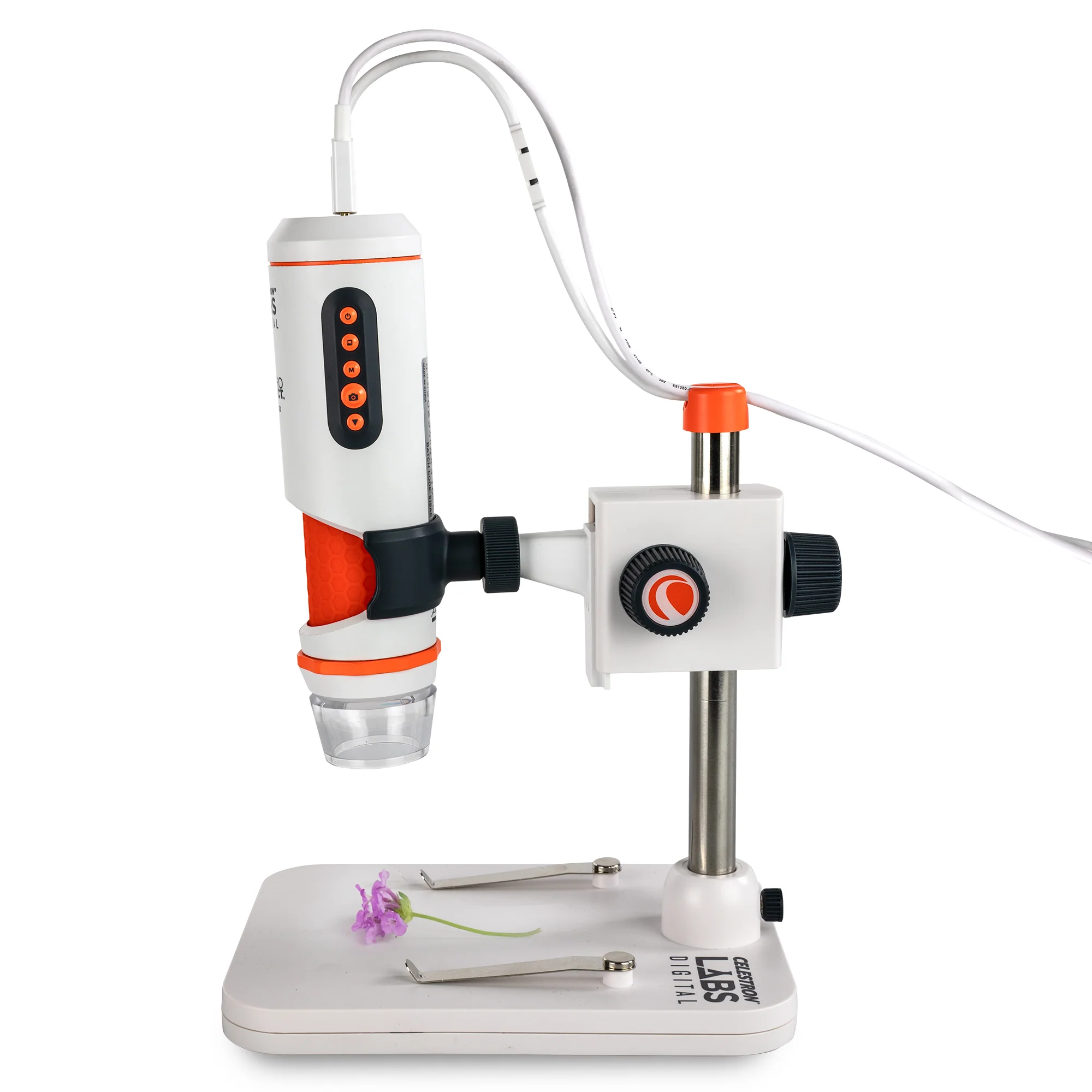
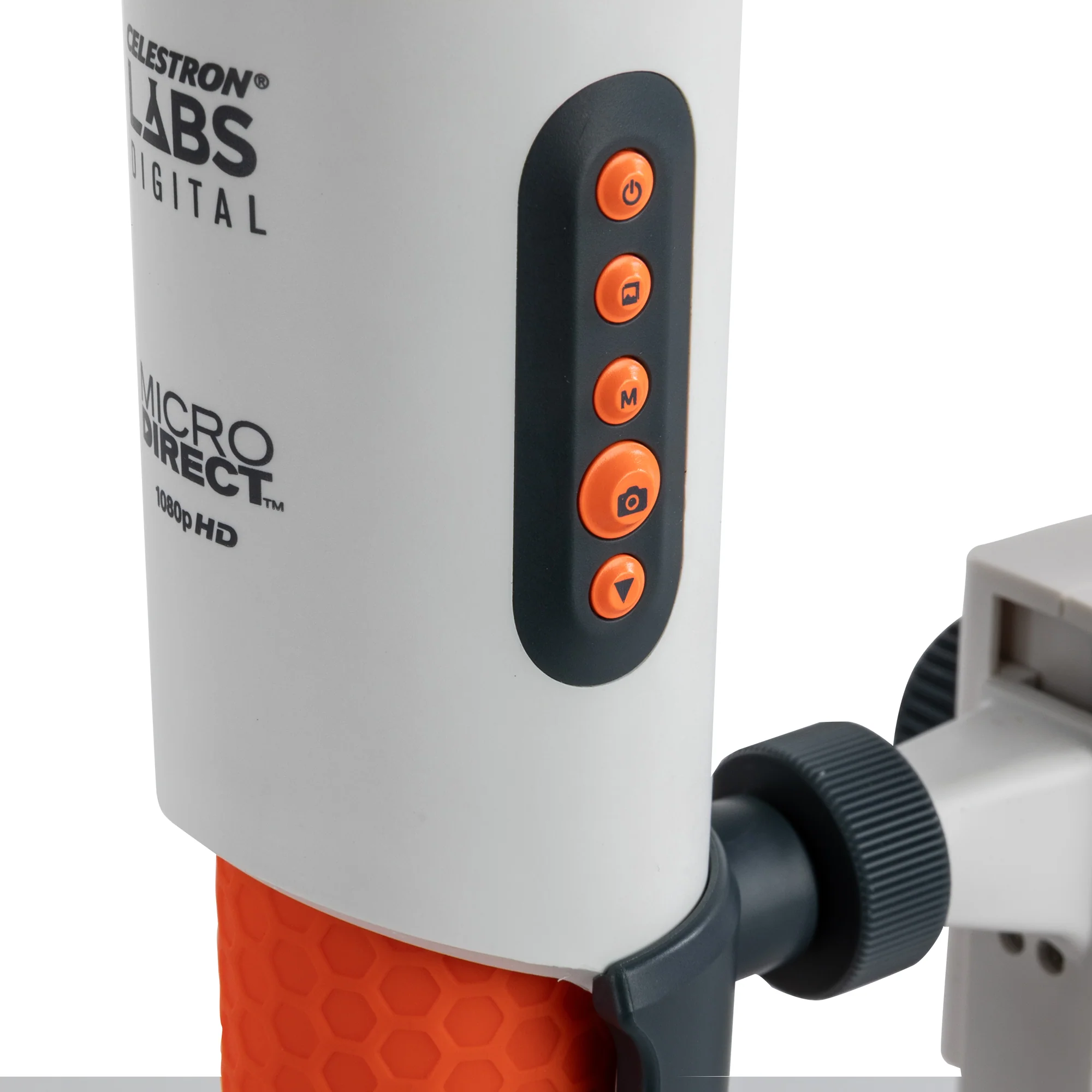
When connected vis HDMI, the microscope body is easy to operate with just one hand. On one side, you’ll find the power button, menu button, image preview button, navigation controls, and shutter trigger—giving you quick access to settings, saved images, and one-touch snapshots. On the opposite side is the microSD card slot and illuminator brightness wheel, all positioned for easy thumb or finger control.
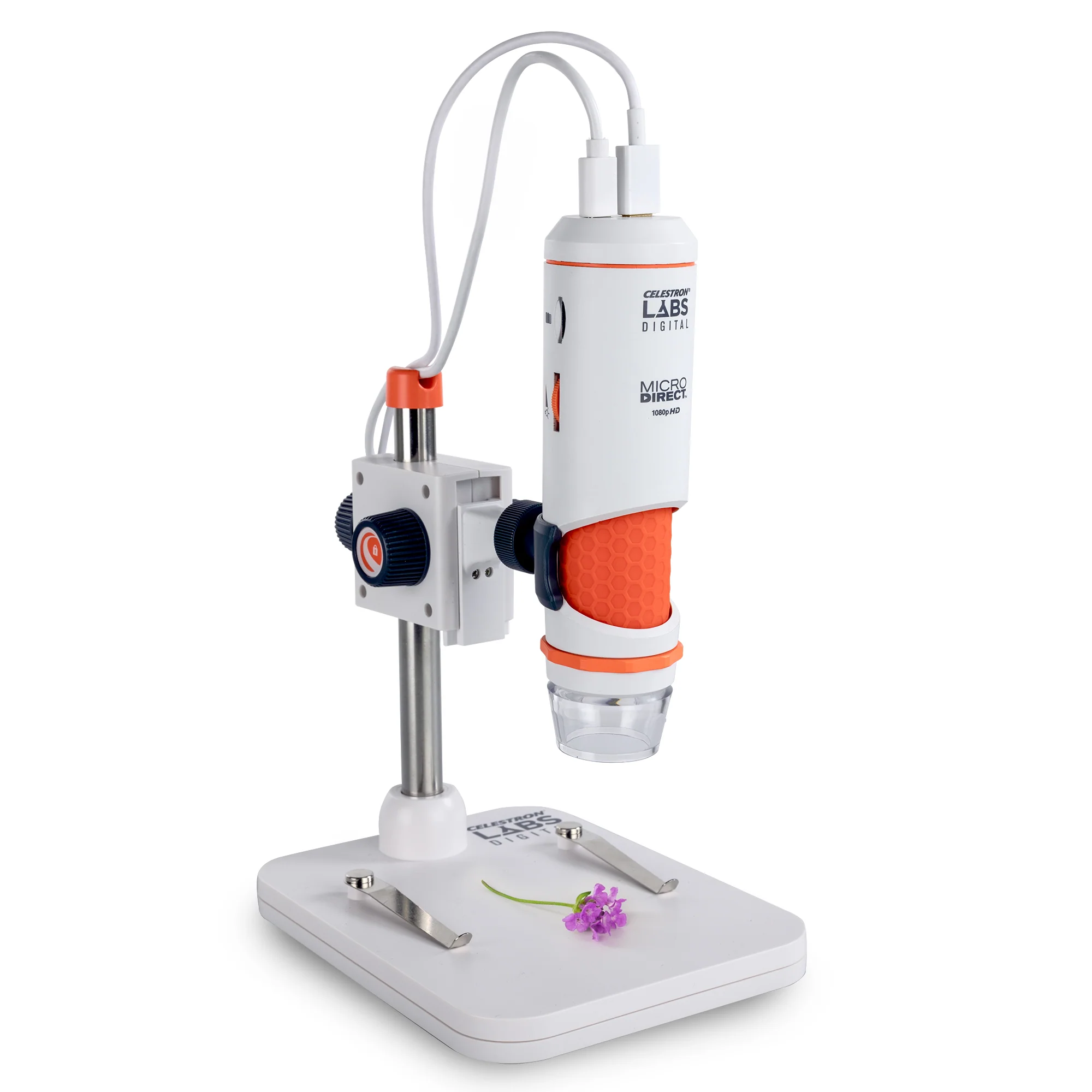
The included adjustable stand helps you precisely position your specimens. Use the metal post to raise or lower the microscope for coarse focusing and to change magnification. Secure smaller subjects with the built-in specimen clips to keep them steady while you observe or capture images. For larger objects that won’t fit on the stage, rotate the microscope arm up to 180° to examine them right on your work surface. The microscope includes a ¼”-20 thread that allows you to attach it to any standard photo tripod (sold separately), giving you more flexibility in where and how you observe. Whether you’re using a compact tabletop tripod in a tight workspace, a flexible tripod wrapped around a tree branch in the field, or a low-profile tripod for unique angles, you can position the microscope exactly where you need it. To access the thread clip, simply release the locking nut of the microscope clip and remove it from the stand.
Compact, portable, and easy to use, the Celestron Labs Digital MicroDirect Handheld Microscope brings professional-grade imaging to your desktop, whether you’re a student, educator, hobbyist, or professional researcher.
Product Information
Product Information
Shipping & Returns
Shipping & Returns
Description
The Celestron Labs Digital MicroDirect Handheld Microscope is your gateway to exploring the microscopic world in vivid, real-time HD—with no computer required. Offering an impressive magnification range from 10x to 200x and true 1080p HDMI output, this advanced microscope is perfect for examining three-dimensional objects in stunning detail. It’s the ideal tool for inspecting circuit boards and textiles, studying insects and plant structures, documenting materials for research or quality control, and so much more.
Setup is fast and intuitive. You can place the microscope on the included stand or use it in handheld mode. Then choose how you want to connect:
- HDMI Mode: Plug in the included HDMI cable and power the microscope using the USB-C cable (and wall adapter, if needed). This setup is perfect for classrooms, labs, or group settings where you want to stream live, full-HD video directly to a TV or projector without using a PC.
- USB-C Mode: Connect the microscope to your Windows desktop or laptop using the included USB-C cable. In USB-C mode, you can use the free Celestron Labs Digital Imaging HD Software to capture images and 720p video, add annotations, and take precise measurements using the included calibration ruler. You can also transfer any images saved to the onboard MicroSD card directly to your computer.
Achieving your desired magnification is simple: move the microscope closer or farther from your subject (or adjust its position on the stand) until you reach the perfect level of detail. This coarse focusing method sets your magnification. Then, use the integrated fine focus wheel to bring your subject into razor-sharp focus.
The professional 5-element IR-cut glass lens and 3.4MP sensor deliver crisp, color-accurate images and reveal the fine details that matter most for analysis. Adjust illumination with the built-in LED ring light and brightness wheel to ensure perfect lighting. For reflective or wet surfaces, rotate the polarizer adjustment wheel to minimize glare and reveal hidden details.
When connected vis HDMI, the microscope body is easy to operate with just one hand. On one side, you’ll find the power button, menu button, image preview button, navigation controls, and shutter trigger—giving you quick access to settings, saved images, and one-touch snapshots. On the opposite side is the microSD card slot and illuminator brightness wheel, all positioned for easy thumb or finger control.
The included adjustable stand helps you precisely position your specimens. Use the metal post to raise or lower the microscope for coarse focusing and to change magnification. Secure smaller subjects with the built-in specimen clips to keep them steady while you observe or capture images. For larger objects that won’t fit on the stage, rotate the microscope arm up to 180° to examine them right on your work surface. The microscope includes a ¼”-20 thread that allows you to attach it to any standard photo tripod (sold separately), giving you more flexibility in where and how you observe. Whether you’re using a compact tabletop tripod in a tight workspace, a flexible tripod wrapped around a tree branch in the field, or a low-profile tripod for unique angles, you can position the microscope exactly where you need it. To access the thread clip, simply release the locking nut of the microscope clip and remove it from the stand.
Compact, portable, and easy to use, the Celestron Labs Digital MicroDirect Handheld Microscope brings professional-grade imaging to your desktop, whether you’re a student, educator, hobbyist, or professional researcher.